← ALL PROJECTS
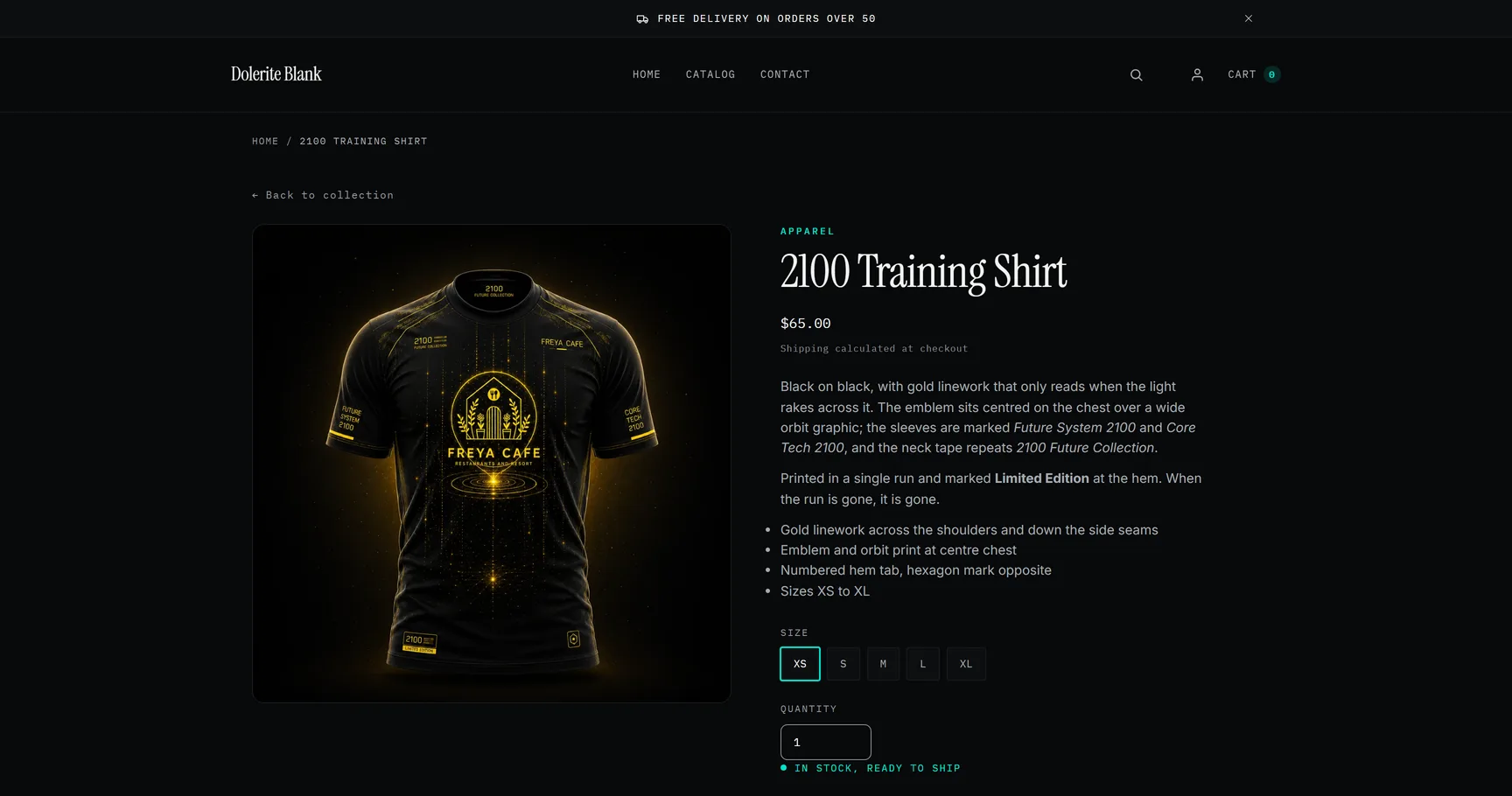
Dolerite Blank product page for the 2100 Training Shirt — a black tee with gold linework in a dark gallery on the left; title in a serif face, price, description, size buttons XS to XL and the line “in stock, ready to ship” on the right

OWN SHOPIFY THEME · APPAREL

DOLERITE BLANK

Own Theme · Development Store · Measured in the Open

OPEN THE STORE →
PASSWORD sifrap

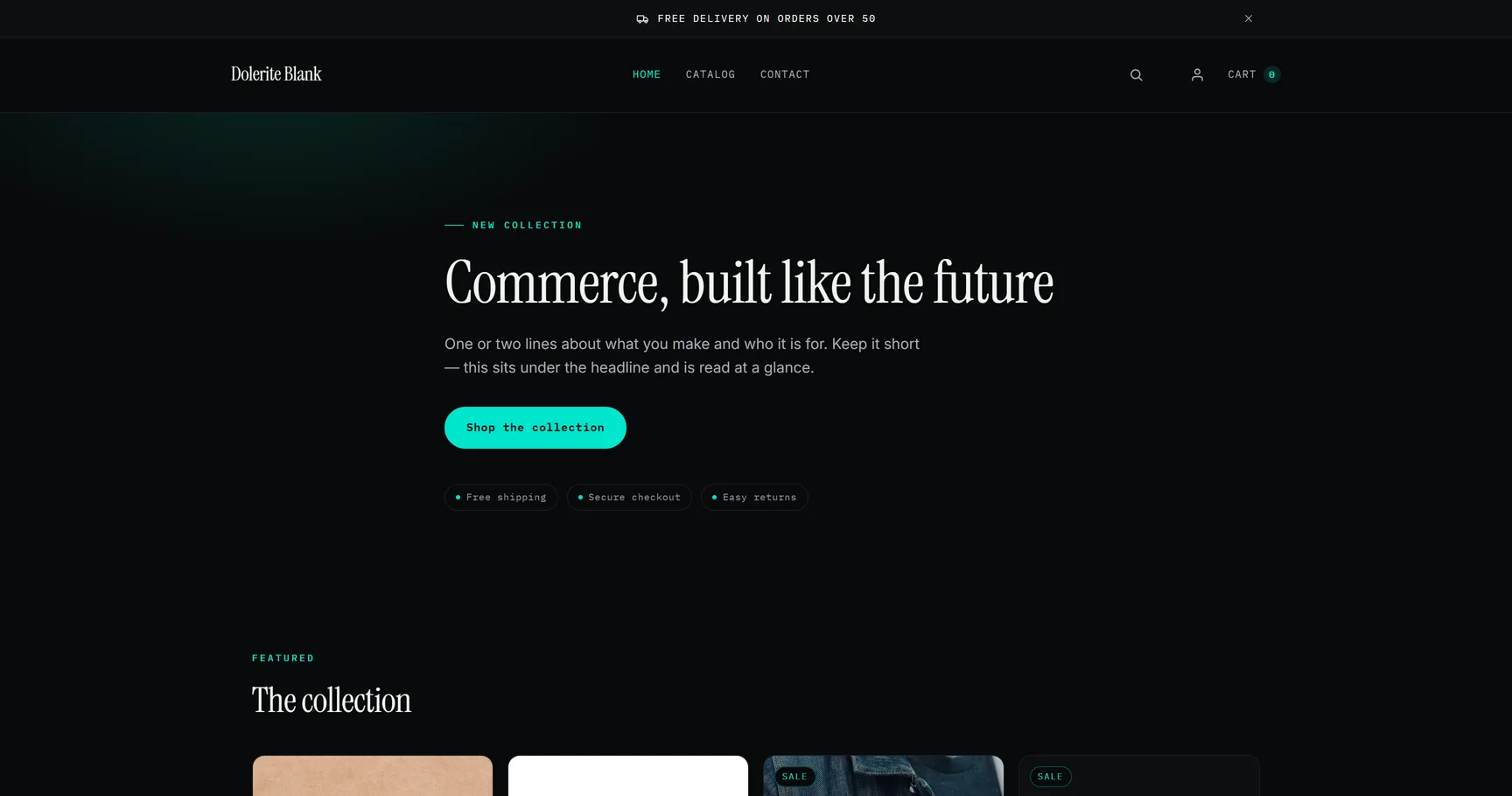
Shopify locks every development store behind a password — this one is published on purpose. Dolerite is the theme; Blank is the store it runs in with nothing on top: default copy, Shopify’s sample products and a load-test catalog. Nothing in it is for sale, nothing you order is binding.

TYPE Own Theme · Openable Demo
CATEGORY Apparel Commerce · Drops
STACK Shopify · Liquid · Online Store 2.0 · Section Rendering API

NO APPS UNDERNEATH. COUNT IT YOURSELF.

Most Shopify stores start with a bought theme and grow by installation: a review app, a size-guide app, a page builder, a pop-up. Each one is a few clicks to add and brings its own scripts, its own hosts and its own share of the DOM — and nobody removes one later, because by then something depends on it. The page a visitor actually gets is the sum of those decisions, and it is rarely measured.

Dolerite was written from the first line so that the things an apparel store needs — cart drawer, quick view, filtering and sorting, a timed drop, size and stock logic, six languages — live in the theme itself. There is nothing to install before it works, and app blocks are left open on the product page for the day a merchant wants a review or subscription app anyway.

Said plainly: this is a development store, not a shop that sells. The catalog is Shopify’s own sample data plus a two-piece capsule, the copy is the theme’s default copy, and the store is named Blank because that is what it is — the theme with no brand on top. It ships nothing and charges nothing.

What it shows is the developer. Writing a complete Online Store 2.0 theme — 44 sections, 14 templates, six languages, theme-check clean — means knowing where every byte and every DOM node on a Shopify page comes from. That is the knowledge a slow store needs, whichever theme it happens to run.

MEASURED

THE PAGE A VISITOR GETS, COUNTED.

CHROMIUM · 1440 × 900 · COLD CACHE · NO SCROLLING · 15 SEPTEMBER 2026

HOMEPAGE

/
  • 413 DOM NODES

    Every element on the page, counted after it settled.

  • 225 REQUESTS

    208 of them are Shopify’s platform layer — checkout warm-up, pixels, telemetry, the account component — which every store carries. The theme itself accounts for 17: 3 of its own files, 7 fonts, 7 images.

  • 40 SCRIPT TAGS

    3 of them belong to the theme. The other 37 are Shopify’s own — 34 on Shopify’s Dawn demo store, measured the same way, plus the account component the Theme Store has required since 30 July 2026 (two tags: its script and the data block Shopify renders beside it) and the cookie banner this store shows because it ships to Europe (one tag), which the demo does not carry.

  • 0 of 9 IMAGES WITHOUT WIDTH & HEIGHT

    Every image is declared with its dimensions before it loads, so nothing shifts when it arrives.

  • 0 HOSTS OUTSIDE SHOPIFY

    5 hosts in total — the store’s own domain, Shopify’s CDN, two Shopify telemetry endpoints and Shop Pay. No font service, no app, no analytics vendor.

  • 2.1 MB TRANSFERRED

    0.58 MB of it is the theme’s: document, CSS, JS, fonts and images. The remaining 1.5 MB is Shopify’s checkout and pixel scripts, present on every store.

PRODUCT PAGE

/products/2100-training-shirt
  • 441 DOM NODES

    Every element on the page, counted after it settled.

  • 232 REQUESTS

    217 of them are Shopify’s platform layer — checkout warm-up, pixels, telemetry, the account component — which every store carries. The theme itself accounts for 15: 4 of its own files, 9 fonts, 2 images.

  • 46 SCRIPT TAGS

    7 of them belong to the theme. The other 39 are Shopify’s own — 36 on Shopify’s Dawn demo store, measured the same way, plus the account component the Theme Store has required since 30 July 2026 (two tags: its script and the data block Shopify renders beside it) and the cookie banner this store shows because it ships to Europe (one tag), which the demo does not carry.

  • 0 of 3 IMAGES WITHOUT WIDTH & HEIGHT

    Every image is declared with its dimensions before it loads, so nothing shifts when it arrives.

  • 0 HOSTS OUTSIDE SHOPIFY

    6 hosts in total — the store’s own domain, Shopify’s CDN, three Shopify telemetry endpoints and Shop Pay. No font service, no app, no analytics vendor.

  • 2.0 MB TRANSFERRED

    0.42 MB of it is the theme’s: document, CSS, JS, fonts and images. The remaining 1.6 MB is Shopify’s checkout and pixel scripts, present on every store.

AGAINST DAWN, AND AGAINST TWO LIVE DAWN STORES

Three columns of comparison. Dawn with nothing installed: Shopify’s own public demo store for the theme, measured with the same script on 15 September 2026. Then two real Shopify stores running Dawn — one on a Dawn-derived copy — measured the same way on 9 September 2026; they are not named and not linked, they belong to someone else, and both are shown, not only the more drastic one.

The script tags are split, because a total alone reads against the theme. Shopify’s own share is 34 on the homepage and 36 on the product page of the Dawn demo; Dolerite Blank carries three more — the account component the Theme Store has required since 30 July 2026 (two tags: its script and the data block Shopify renders beside it) and the cookie banner this store shows because it ships to Europe (one tag) — which the demo does not ship. Everything above that is the theme, and everything above the theme is what a store installs.

The account component is not free. Against the run of 12 September 2026, before it was placed, the homepage carries 45 more requests and 0.41 MB more — Shopify’s account scripts (41 KB), Sign in with Shop and the Shop app’s own two fonts (129 KB), and the sign-in frame it opens. The product page moves by 43 requests and 0.39 MB. It is Shopify’s, it sits on every theme that meets the requirement, and it is on this page because the number moved. The earlier run stays published beside the new one.

Dolerite Blank
homepage
Dolerite Blank
product page
Dawn demo
homepage
Dawn demo
product page
Store A
Dawn copy
Store B
Dawn
DOM nodes 413 441 1,425 1,355 4,800 2,407
Script tags 40 46 49 59 65 61
of which the theme 3 7 15 23 — —
of which Shopify 37 39 34 36 — —
Hosts beyond the store domain * 3 4 2 4 24 19
of which outside Shopify 0 0 0 0 ≥ 20 ≥ 15
Images without width & height 0 of 9 0 of 3 0 of 25 0 of 20 26 137 of 139
Transferred on load 2.1 MB 2.0 MB 1.8 MB 2.1 MB — 30.8 MB

* Every request host that is not myshopify.com, shopify.com or shopifycdn. On Dolerite Blank and on the Dawn demo, the ones that remain are Shopify’s own telemetry endpoints and Shop Pay — the filter counts them, so they are listed, not dropped. Store A and Store B were recorded as totals only: their theme-and-Shopify split is not on record and is not guessed, and their hosts outside Shopify are given as a floor — the count minus the 4 Shopify-operated hosts the filter has let through on any run, never less. Store A’s image count was recorded without its total. Store B’s transfer is its homepage.

Who wrote which script tag is decided without knowing the theme: everything between Shopify’s two content_for_header marker scripts, every external file not served from the theme’s own asset folder, every tag Shopify stamps with a source attribution, the loaders it injects after load and the data block it renders beside its own account component are Shopify’s; the rest is the theme’s. Checked against the Dolerite source before it was trusted — it yields exactly the 3 and 7 the source yields.

HOW IT WAS MEASURED

In Chromium at 1440 × 900 with a cold cache, on the page a visitor gets — after the load event, network idle and five more seconds for Shopify’s own beacons, without scrolling. No Lighthouse, no synthetic score: five expressions in the console, run on 15 September 2026. Open the store, open DevTools, paste them on the same pages. Your numbers will move by a few of Shopify’s beacons; the shape will not.

document.querySelectorAll('*').length
performance.getEntriesByType('resource').length
document.scripts.length
[...document.images].filter(i => !i.getAttribute('width') || !i.getAttribute('height')).length
new Set(performance.getEntriesByType('resource').map(r => new URL(r.name).host).filter(h => !h.includes('myshopify.com') && !h.includes('shopify.com') && !h.includes('shopifycdn'))).size

RAW RUNS, EVERY REQUEST LISTED: dolerite-blank-2026-09-15.json · dawn-demo-2026-09-15.json · dolerite-blank-2026-09-12.json

What these numbers don’t say: a DOM node count is not a speed score, and neither page carries a Lighthouse figure here — that is a different measurement with its own variance. They say how much markup, script and third-party surface a visitor receives before a single app is installed.
WHAT'S UNDERNEATH

01

NO APP STACK

Cart drawer, quick view, predictive search, filters and sorting, an email pop-up, a timed drop, recently viewed — all written into the theme. Nothing has to be installed before the store works, which is why the request list above is Shopify’s platform plus a handful of the theme’s own files and nothing else. App blocks stay open on the product page for a merchant who wants a review or subscription app anyway.

02

SIZES AND VARIANTS AS DATA

Size and colour are real Shopify options, never tags. The picker reads its form from the data: a swatch where the merchant set one, a variant photo where every value has its own, a text button for everything else — so Colour gets swatches and Size gets buttons without per-product setup. Sold-out combinations are shown as unavailable rather than hidden, and the stock line prints a number only when Shopify actually tracks one.

03

DROPS AND LIMITED RUNS

The drop section runs three states: locked, with a blurred grid and a countdown; live; ended. Times are read in the visitor’s local time. The countdown is a display, not a lock — products stay reachable by URL, and the documentation says so: keep them unpublished until launch. Badges come from tags, Sold out and Sale are automatic and never shown together.

04

THE CATALOG UNDER LOAD

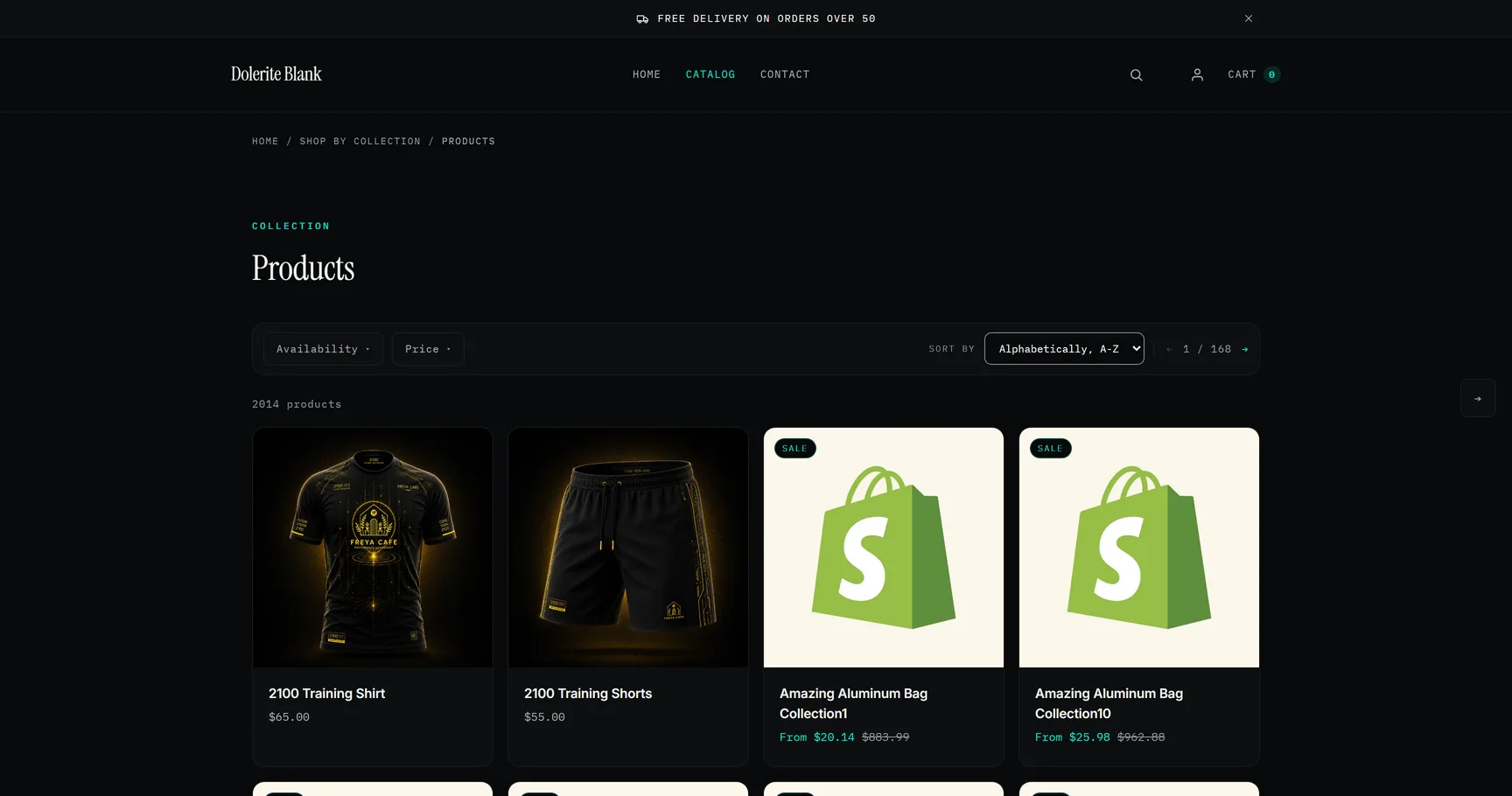
2,014 products across 168 pages of 12 — Shopify’s sample data plus the 2100 capsule, counted on 15 September 2026. Filters by availability and price, 9 sort orders, a pager inside the toolbar, and a quick view on every card that fetches a product fragment instead of a second page. The filter bar is one snippet, shared by collection and search.

05

IMAGES, LOADED ON PURPOSE

Every image carries width, height and a srcset from 300 to 900 pixels — the run above found none without dimensions. The first tile loads eagerly with fetchpriority high, the rest lazily. The hover image on a card ships without a src and is fetched on the first pointer that enters it, so a phone never downloads it. A 3D viewer loads only for products that have a model; an external video is not embedded until someone presses play.

06

SERIF OVER MONO

Instrument Serif for the headlines, Inter for reading, IBM Plex Mono for everything that is data — eyebrows, prices, buttons, table labels — because a monospace face keeps figures in a column lined up. All three come from Shopify’s own font library, so no page opens a foreign origin for type. They load with font-display: optional and no preload: measured, swap cost 0.189 CLS on the collection page. The serif is the contrast that lets the mono read as an instrument.

STACK

CLICK A TERM TO DECODE

MetafieldsSearch & Discovery

OPEN IT. THEN OPEN DEVTOOLS.

The password is sifrap — open a product, switch a size, watch the gallery follow, then run the five lines above in your own console.